Turn a listing into an interactive 3D property with one click. Buyers open your link, get their own copy to explore and plan renovations in 3D, and you see it appear in your dashboard.
No attachments, no installs: a link is all you send.
Create the project or import it from your broker software, and trace the floor plan into a 3D model.
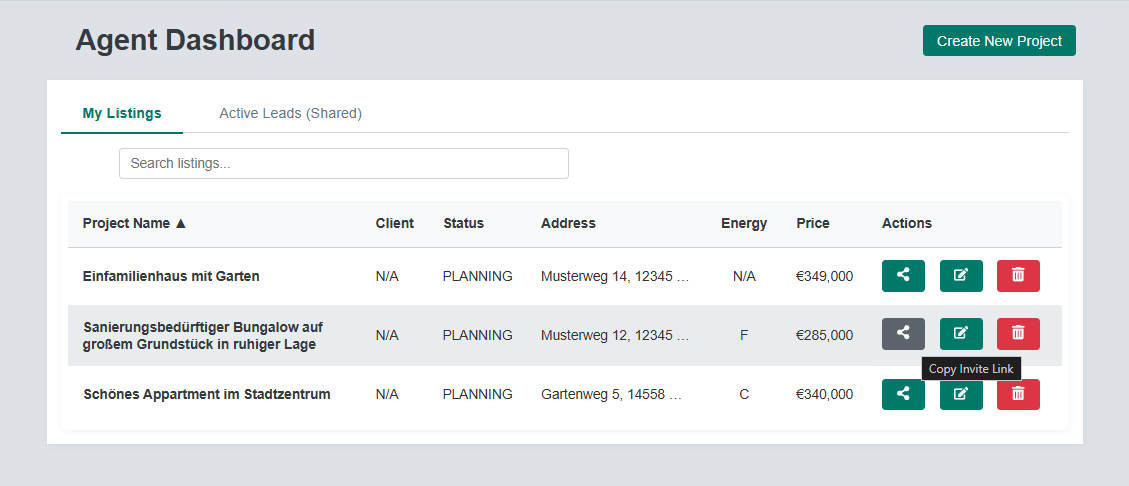
On your dashboard, click the share button next to a listing. A personal invite link is created and copied to your clipboard, ready to paste into an email, a message or your exposé.
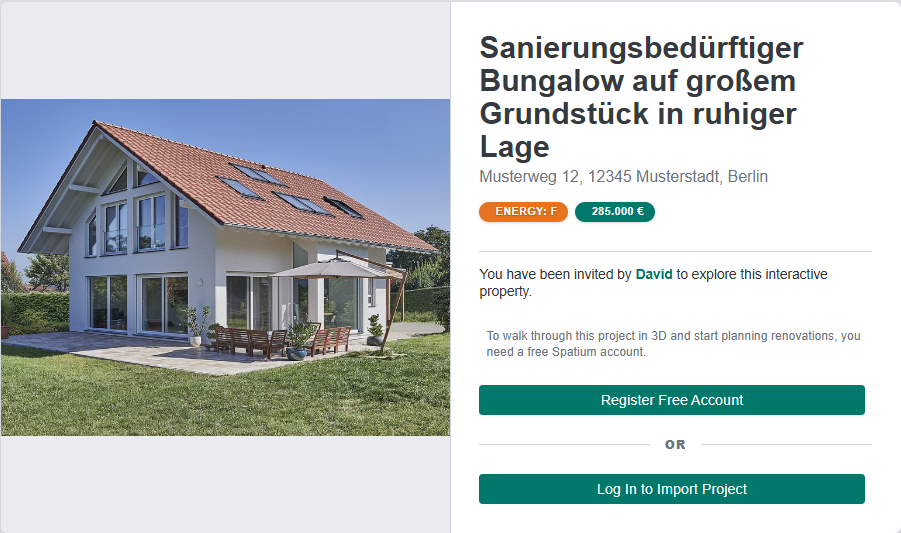
They see the property at a glance, with photo, address, price and energy class, and register for free or log in.
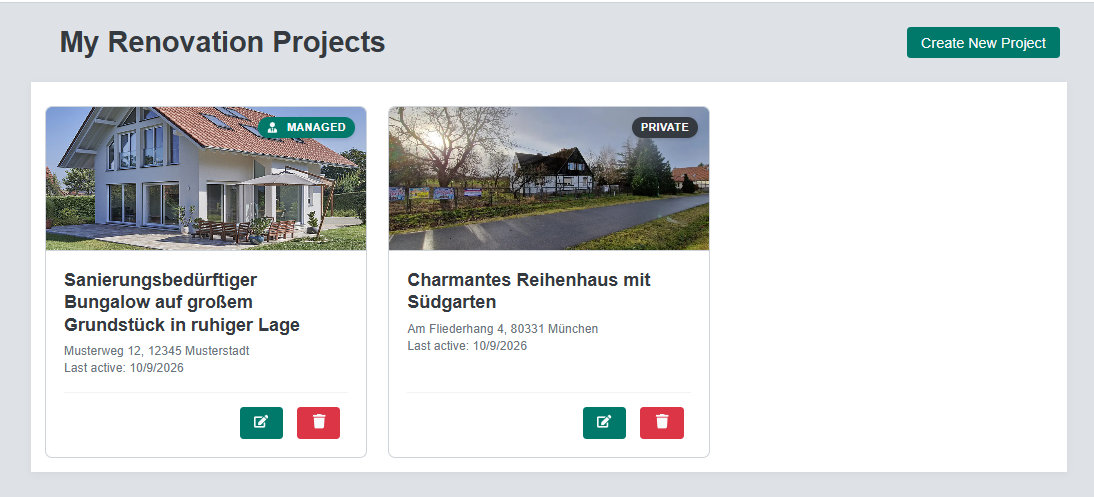
They get their own editable copy of the 3D model to explore and to try out renovations. Your original listing stays untouched.
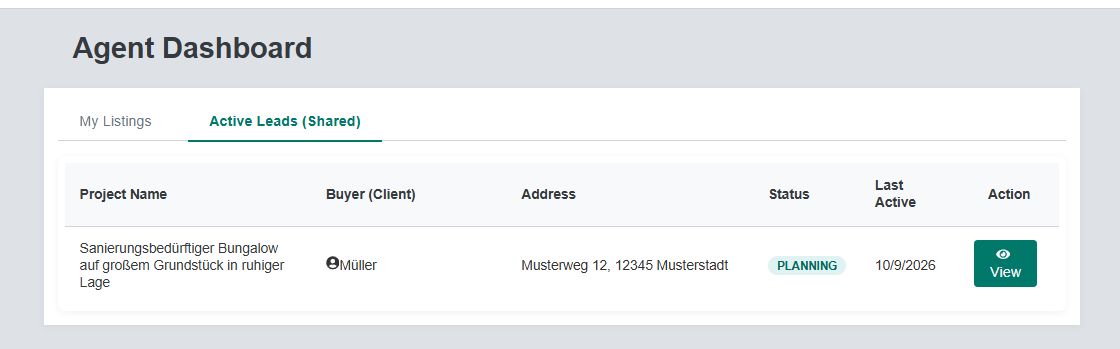
The buyer’s project appears under Active Leads in your dashboard. Open it any time, read-only.
The link opens a clear invitation page with your name on it, not a login wall.
Buyers don’t need a special viewer. They get a regular free Spatium account, so your property sits in their project list right next to anything they plan themselves.
Buyers work on a copy, so they can experiment freely without touching your original.
Everything the buyer changes happens in their copy of the project. Your listing is never altered by a buyer.
Every accepted invitation shows up in its own tab: the project, the buyer, the address, its status and when it was last changed.
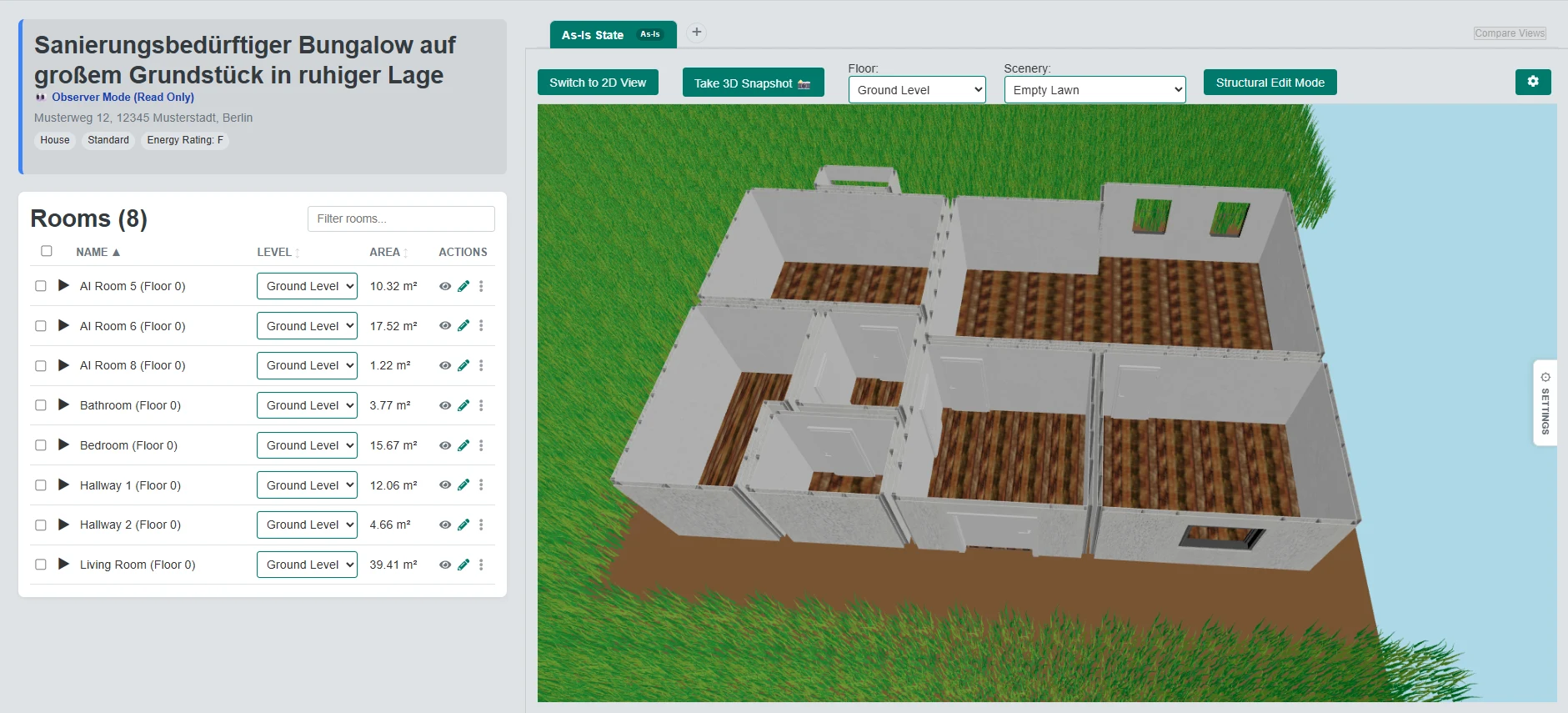
Open a buyer’s project any time and see where they are. You can look, but not edit, so their work stays theirs.
Open a lead and you see the buyer’s project the way they have it: rooms, floors, 2D and 3D. A banner marks it as read-only.
How sharing works today, so there are no surprises.
No. Spatium runs in the browser. The buyer needs a free Spatium account to step inside the property.
No. The buyer works on their own copy, and your original listing is never changed by it.
A link can be accepted once. Click the share button again to create a link for each buyer.
Only the one project that came from their invitation, read-only: its rooms, the renovation scenarios and the materials the buyer chooses. The buyer’s budget and cost estimates are not shared, and the buyer’s other projects stay private. The invitation page tells the buyer this before they register or accept, and the buyer can stop sharing at any time.
A copy of the project in their account, including the 3D model, to explore and to plan renovations on, with the cost estimate that follows from their choices.
Need the model first? See listing import and floor plan tracing.