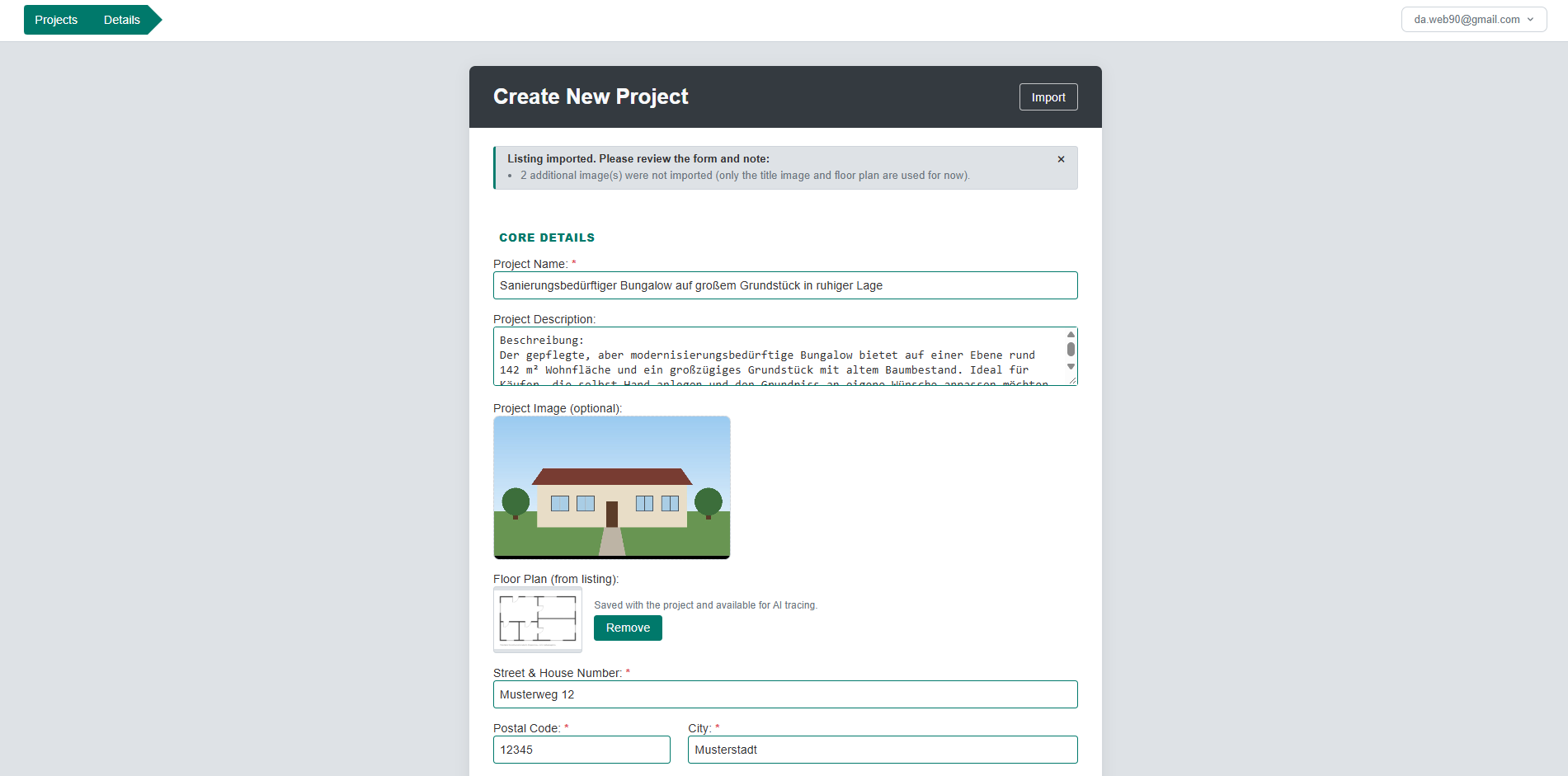
Your listings already describe the property. Import the OpenImmo export from your broker software and Spatium fills in the project for you: address, price, size, description, photos and the floor plan, ready for AI tracing.
Nothing is saved until you click Create Project, so you can check every field first.
Use the OpenImmo export you already have: a .zip with the images, or a bare .xml. Any broker software that exports OpenImmo works.
The Import button sits at the top of the new-project form. Choose your file and the form fills itself in.
A short note lists only the gaps, with the details needed to create the project first. Hidden address? Missing price? You see it right away and fill it in.
The title image and floor plan are saved with the project. Open the tracer and choose “Use saved floor plan” to turn it into a 3D model.
Everything your listing already knows, in the right place.
Street, house number, postal code and city. The region for local material pricing is derived automatically. Coordinates are stored for later use.
Purchase price, living area and number of rooms (half rooms included). The stated living area is kept to cross-check the traced floor plan later.
Listing title and the description, location and features texts, plus the property type and energy rating class.
The listing’s title photo becomes the project image. You can swap it before saving.
Found by its tag, or by its name when a broker tagged it as a generic photo (for example “Grundriss EG”). It is saved with the project, can be replaced or removed at any time, and feeds the AI tracer directly so you don’t upload it twice.
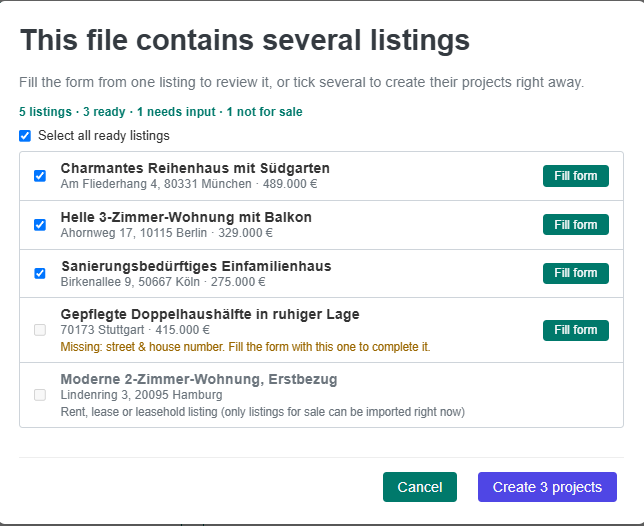
Broker exports usually hold your whole portfolio. When a file contains several listings, Spatium shows you what is in it before anything happens.
What import does today, so there are no surprises.
Spatium reads standard OpenImmo exports, as a .zip containing the images or as a bare .xml file. OpenImmo is the common German real estate exchange format. Exports differ between broker programs, so if something in your file cannot be read, the import tells you what is missing and you can fill it in before saving.
Many exports hide the exact address. Spatium tells you exactly what is missing for that listing, with the details needed to create the project listed first, and you fill in the rest in the form.
No. The imported floor plan is saved with the project. In the tracer, choose “Use saved floor plan”, or upload a different one and save it to the project.
Just want to try it for your own property? Start planning for free.